

> 本文整理自平台文档 docs/wujies/5.x/frontends/runtime.mdx,用于站点内容演示。
(https://console.wujies.cn/remote-apps/cms-assets/doc-6aa64cee4221-cover.svg)
远程应用(插件前端)不 import 宿主任何源码。它拿到的全部东西,就是宿主在装载时 通过 install(runtime) 递进来的那一个对象。
  setRemoteRuntime(runtime);
  return {
    manifest: { code: 'hello', name: '示例远程应用', version: '0.1.0', routes: [ /* ... */ ] },
    views: { 'demo/home': () => ({ default: DemoHome }) }
  };
}| 项 | 值 |
|---|---|
| 入口契约 | 默认导出(也兼容具名 install)一个安装函数,返回 { manifest, views };范例用 defineRemoteApp(...) 生成 |
| 类型定义 | wujies-admin/src/plugins/appmarket/types.ts 的 AppMarketRuntime |
| 实例构造 | wujies-admin/src/plugins/appmarket/runtime.ts 的 installAppMarketRuntime() |
| 范例用法 | wujies-hello-plugin/frontend/src/(index.ts / views/DemoHome.vue / views/DemoPluginDev.vue) |
范例应用实际用到的字段
hello 不是"文档里的例子",它的每个字段都能在页面上看到值。视图里不直接持有 runtime,而是从 @wujies/ui-shared 取(运行期由 import map 落到宿主注入的那一份):
| 字段 | 怎么用的 | 来源 |
|---|---|---|
runtime.request | await request({ url: '/captchaConfig', method: 'get' });DemoPluginDev.vue 还演示了匿名调用 { headers: { isToken: false } } | views/DemoHome.vue、views/DemoPluginDev.vue |
runtime.vue | runtime.vue.version | views/DemoHome.vue |
runtime.elementPlus | runtime.elementPlus.version | views/DemoHome.vue |
runtime.platformVersion | 直接展示,用于兼容降级判断 | views/DemoHome.vue |
runtime.routerInstance | typeof runtime.routerInstance?.addRoute(证明拿到的是真实 router 实例) | views/DemoHome.vue |
视图取用运行时走 getPlatformRuntime()(@wujies/ui-shared):它读的就是宿主挂在 globalThis.__APP_MARKET_RUNTIME__ 上的实例,没被注入过就直接抛错 ([wujies] 宿主运行时未安装:远程应用必须由宿主加载,不能独立运行), 这样"忘了走 install"会立刻暴露,而不是变成一个 undefined 引发的怪错误。
完整字段表
以下来自宿主侧的类型定义(AppMarketRuntime),不是推测:
| 字段 | 类型 | 说明 |
|---|---|---|
vue | Vue 模块命名空间 | 宿主正在用的那一份实例,不是重新 import 的副本 |
router | vue-router 模块命名空间 | 同上(模块本身;路由操作看 routerInstance) |
pinia | pinia 模块命名空间 | 同上 |
elementPlus | Element Plus 模块命名空间 | 同上;el-* 组件由构建套件(@wujies/ui-plugin-bundler-kit 的 Components({ resolvers: [...] }))在构建期转成显式导入,工程不用自己配 |
request | <T = any>(config: Record<string, any>) => Promise<T> | 宿主 axios 实例:已带 baseURL / token / 租户头 / 加解密 / 统一错误处理。它同时挂着具名导出 download / globalHeaders / isRelogin,所以产物里 import request from '@dromara/request' 与 import { globalHeaders } from '@dromara/request' 两种写法都能解析到宿主这一份 |
routerInstance | Router | 宿主 vue-router 实例,用于运行期注册 / 卸载远程路由 |
components | Record<string, Component> | 宿主共享 UI 组件(KCard / KTable / KSearchBar / ImagePreview 等)。要用宿主已有业务组件必须从这里取,不要自己打一份进 bundle |
modal | Record<string, (...args: any[]) => any> | 宿主 modal 插件(msgSuccess / msgError / confirm / loading 等) |
app | App(可选) | 宿主 Vue 应用实例。指令必须靠它:v-loading 会被编译成运行期的 resolveDirective("loading"),只有全局注册过才解析得到 |
platformVersion | string | 平台版本(由宿主 constants.ts 的常量给出,当前为 5.6.2),远程应用可据此做兼容降级 |
shared | AppMarketSharedApi | @wujies/ui-shared 的实现槽:request / globalHeaders / getRouter / getModal / getApp / getPlatformRuntime / getPlatformVersion / defineRemoteApp。/app-runtime/wujies-ui-shared.js 垫片把包导出转发到这里,字段名必须与包里导出的名字逐项一致 |
el-upload、importData 这类不走 axios 的自建请求要自己拼完整地址。远程产物里没有 import.meta.env —— 插件工程构建时不存在 .env,import.meta.env.VITE_APP_BASE_API 会被编译成 undefined,地址就断了。 用宿主导出的 axios 实例上的 baseURL 拼:
// el-upload 的 action / 导入模板的 url
const action = (request.defaults?.baseURL ?? '') + '/resource/oss/upload';
请求头同理用 globalHeaders()(Authorization / clientid),不要自己去读 localStorage。
components 里组件的 props / 事件、request 的调用形态,一旦有远程应用在用就不能改签名 —— 改了会破坏已经发布出去的插件包。新增具名导出时,还要同时更新宿主的 scripts/gen-runtime-shims.mjs 里对应库的 staticNames,再跑 npm run tools:check 对账, 否则浏览器会在链接期整块报 does not provide an export named ...,页面直接打不开。
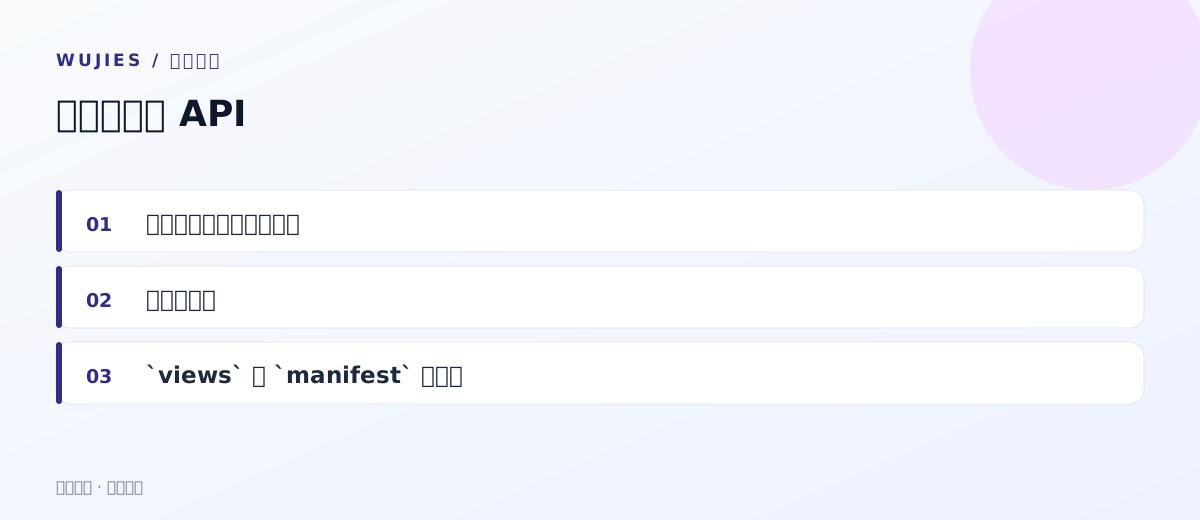
views 与 manifest 的约定
| 契约 | 规则 |
|---|---|
views 的加载器 | 必须返回 { default: Component }(与 import() / defineAsyncComponent 的语义一致),也可以是返回它的 Promise |
manifest.code | 应用编码,与 app.json 的 code、产物目录名一致 |
manifest.routes[].view | 视图键,必须存在于 views 里;菜单里 component 写 remote:<code>/<视图键> |
manifest.routes[].name | 可省,缺省时自动生成 <appCode>:<view> |
manifest.routes[].parentName | 不传则注册为顶级路由 |
manifest.routes[].meta | 附加路由元信息(标题、图 |
本文导览
(https://console.wujies.cn/remote-apps/cms-assets/doc-6aa64cee4221-guide.svg)
















评论区需要浏览器启用 JavaScript 才能加载。